Packaging businesses are under pressure to produce sharper graphics, shorter runs, and less material waste. A Film Printing Machine can address these demands with controlled color reproduction, repeatable registration, and faster job changes. It is especially useful for flexible packaging, labels, pouches, and printed films where appearance influences purchasing decisions.
The Flexible Packaging Association reported that U.S. flexible packaging sales reached approximately $40.6 billion in 2023. Its industry data also showed softer demand than the previous year, making productivity and cost control more important. Smithers’ “The Future of Global Flexible Packaging to 2028” forecasts continued global market expansion, supported by lightweight packaging and growing print requirements. These reports suggest a clear opportunity, but they do not guarantee success. Equipment must match actual order volumes, substrate types, ink systems, and operator skills.
Details matter. A reliable Film Printing Machine should offer stable web tension, accurate registration, accessible cleaning areas, and documented maintenance procedures. Operators should test film thickness, drying performance, ink adhesion, and color consistency before accepting production orders. ASTM and ISO testing methods can support better quality decisions, while local packaging and environmental regulations must guide material and ink selection. A machine may print beautifully during a demonstration. That is not enough. Real performance appears during a six-hour run, when dust, humidity, and rushed changeovers expose weaknesses. Buyers should compare total ownership cost, technical support, energy use, and waste rates—not only the advertised speed. The best choice is practical, measurable, and slightly cautious.
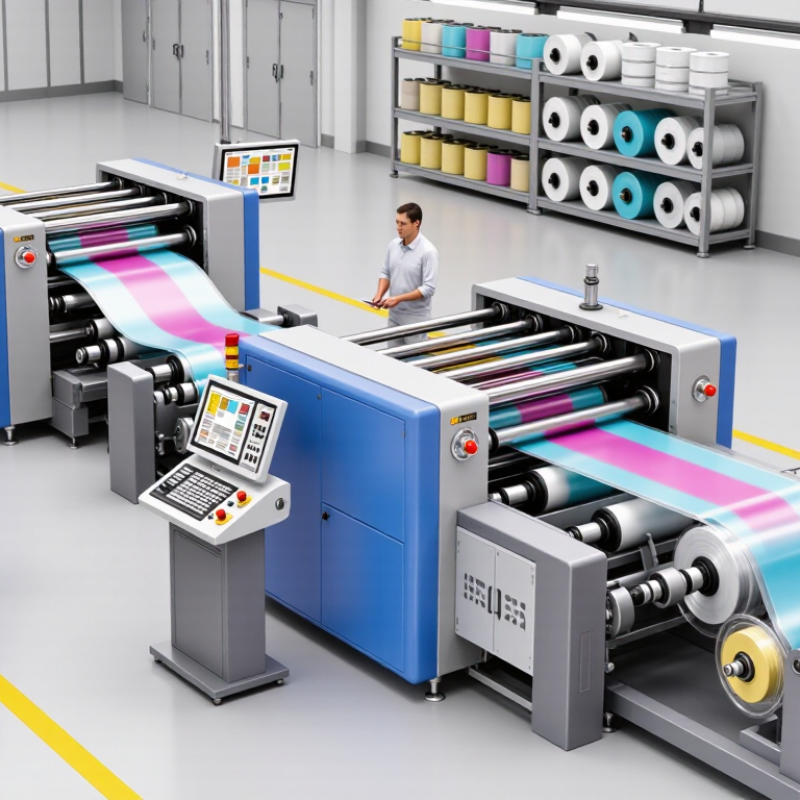
A film printing machine applies controlled ink patterns to thin plastic or other flexible film. It feeds a continuous roll through tension controls, printing units, drying systems, and rewinding equipment. The machine may use digital, flexographic, or gravure processes, depending on volume, detail, and material. Its purpose is practical: creating clear graphics, text, codes, or surface effects on moving film. Not paper.
During operation, sensors monitor registration, web speed, and ink coverage. An operator checks viscosity, adjusts pressure, and watches the film under inspection lights. Even a small tension change can stretch an image or shift two colors. That detail matters for packaging rolls, labels, protective films, and industrial liners. Good equipment reduces setup waste and keeps repeated images consistent across long runs. However, automatic does not mean maintenance-free. Roll alignment, drying temperature, and cleaning still require trained judgment.
Choosing this equipment can support faster production and more controlled customization. It can also help a business print only the quantity needed, especially during short digital runs. Film is sensitive to heat and surface energy, so one setting rarely suits every substrate. A test roll should be checked for adhesion, color accuracy, scratches, and winding quality. I would not approve a job from appearance alone. A glossy surface can hide weak ink bonding until handling begins. Careful testing often matters more than impressive machine speed.
Film printing technology begins with a clean, tension-controlled film web. The machine unwinds the roll and guides it through rollers without stretching the material. Depending on the application, ink is transferred through gravure, flexographic, or inkjet units. Each method uses a different image-forming principle. Gravure uses engraved cells, while inkjet places tiny droplets directly onto the surface. The printed film then passes through heated or ultraviolet curing zones. Drying must be controlled carefully. Too much heat can shrink the film. Too little can cause smearing, blocking, or poor adhesion.
According to Smithers’ 2024 study, The Future of Digital Print for Packaging to 2029, digital packaging print could grow from about 22 billion dollars in 2024 to nearly 37 billion dollars by 2029. This growth reflects demand for shorter runs, variable graphics, and quicker production changes. A modern film printing machine supports these needs by combining registration sensors, viscosity control, and automated color correction. Operators still check print density with spectrophotometers and test adhesion by tape or rub methods. Small details matter. I once saw a minor tension error create visible wrinkles across an entire roll. The machine was not the only problem; the setup was. Film type, ink selection, drying temperature, and storage conditions must work together. No single setting fits every film.
Film printing machines are designed to print on flexible materials used in packaging, labels, lamination, and protective applications. The chart shows common film thickness ranges, measured in micrometres (µm), that businesses may need to handle. Actual specifications vary by material, supplier, and application.
A film printing machine can help businesses produce flexible packaging, labels, and promotional materials with greater control. It supports consistent color, sharper images, and repeatable layouts across large production runs. This consistency reduces customer complaints and protects a professional appearance. Faster setup can also shorten delivery times when orders change suddenly.
The machine may reduce outsourcing costs over time. Businesses can print closer to actual demand, limiting excess stock and outdated designs. Variable artwork makes seasonal campaigns easier to manage. However, savings are not automatic. Film type, ink usage, operator training, and maintenance affect the final cost. A poorly calibrated machine can waste rolls within minutes. That reality deserves attention.
Tips: Test several film materials before regular production. Record drying time, ink adhesion, temperature, and print speed. Keep sample sheets from each approved run for quality comparison. Train operators to inspect rollers and alignment daily. Small checks prevent expensive defects. It is easy to overlook cleaning. Regular maintenance supports stable output and extends equipment life. Before purchasing, compare expected order volume with the machine’s practical capacity, not only its advertised speed. A slower machine may suit a small workshop better, while a high-volume operation may need automated feeding and precise color control.
When comparing film printing machines, buyers should examine print quality beyond the sample image. Check resolution, color consistency, registration accuracy, and edge sharpness on the actual film you use. A clean test print can hide problems during long production runs. Ask for samples using different thicknesses and surface treatments. Film adhesion matters.
Speed also needs careful measurement. Compare rated speed with practical output after setup, cleaning, and roll changes. A faster machine may waste more material if registration drifts. Look for automatic tension control, stable feeding, and reliable drying. These features help prevent wrinkles, smearing, and uneven color.
I once focused too heavily on maximum speed. That was a costly mistake.
Consider the machine’s control system, maintenance access, and operator training requirements. Clear alarms and simple adjustments reduce downtime, especially for smaller teams. Check ink compatibility, curing needs, energy use, and ventilation requirements before purchasing. Total cost includes spare parts, cleaning supplies, service visits, and rejected film. Request performance records or a supervised trial when possible. Good suppliers should explain limitations, not only advantages. Some comparisons remain uncertain because factory conditions differ from real workshops. Leave room for testing. Safety guards, emergency stops, and documented procedures also deserve close attention. A dependable machine should support consistent work, not create another daily problem.
Choosing a film printing machine begins with your actual production needs, not impressive specifications. Measure the bottleneck. Check film width, thickness, roll size, and daily output before comparing machines. A narrow machine may suit labels, while wider equipment supports flexible packaging and larger graphics. Samples matter. Ask for test prints using your usual film, artwork, and ink requirements. Inspect color consistency, edge sharpness, drying, and registration under normal workshop lighting.
Businesses should also examine workflow compatibility. Can the machine connect with current design, cutting, laminating, or inspection equipment? Confirm the supported file formats and calibration options. Ask how operators clean printheads, manage waste, and replace routine parts. Clear maintenance instructions reduce avoidable downtime. Safety features, ventilation needs, and applicable environmental requirements deserve equal attention. They are not minor details.
Speed can be misleading. A fast machine that needs frequent adjustments may produce fewer saleable rolls each week. My early preference for maximum speed was not always wise. Calculate total ownership cost, including energy, ink, training, service, and rejected film. Speak with experienced operators, not only sales representatives. Their comments often reveal practical limitations. A short production trial can expose problems that a showroom sample hides. Leave room for growth, but avoid paying for capacity that may sit unused. The best choice is usually the machine that fits today’s work reliably and can adapt to tomorrow’s orders.
| Decision Dimension | Typical Options | Business Benefit | Main Limitation | Recommended Use |
|---|---|---|---|---|
| Printing Technology | Digital inkjet, digital toner, or flexographic printing | Makes it possible to produce customized graphics, variable data, or repeat designs according to order volume. | Each technology has different requirements for ink, film surface treatment, drying, and maintenance. | Choose digital printing for short or variable runs; choose flexography for longer, repeat-production runs. |
| Maximum Film Width | Approximately 330–1,600 mm, depending on machine configuration | Determines the number and size of jobs that can be arranged across the web. | A wider web usually requires more floor space, higher investment, and stronger material handling. | Match the width to the largest regular job rather than selecting the widest available machine. |
| Production Speed | About 20–150 m/min for many digital systems; flexographic systems can be faster | Higher speed can reduce the time required for large, repeatable orders. | Rated speed may be lower in practice when using heavy coverage, complex graphics, or frequent changeovers. | Evaluate usable production speed, not only the maximum speed stated in specifications. |
| Film Compatibility | Commonly used films include PET, BOPP, PE, CPP, and other coated or treated substrates | Supports packaging, labels, flexible materials, and specialty film applications. | Untreated or low-surface-energy films may need corona treatment, primer, or a compatible ink system. | Confirm film thickness, surface energy, roll size, and ink adhesion before purchase. |
| Print Resolution | Typically 600–1,200 dpi in digital printing systems | Higher resolution can improve small text, barcodes, fine lines, and image detail. | Resolution alone does not guarantee quality; registration, ink control, and film properties are also important. | Select resolution based on artwork detail and barcode requirements rather than marketing claims. |
| Color Configuration | CMYK; optional white, light colors, or spot-color channels | Additional channels can improve opacity, color range, and printing on transparent or colored films. | Extra channels increase ink consumption, cleaning requirements, and operating cost. | Choose white ink when opaque graphics or reverse printing on transparent film is required. |
| Minimum Order Volume | Short runs from a few hundred meters; longer runs for conventional presses | Digital systems generally reduce plate-making and setup requirements for small orders. | For very large, repetitive volumes, the cost per unit may favor a conventional press. | Compare total cost per saleable meter at your actual monthly order mix. |
| Setup and Changeover | Digital: generally short setup; flexographic: plate, ink, and registration setup | Shorter changeovers help businesses handle more SKUs and customized orders. | Digital equipment may have higher consumable costs, while conventional equipment may create more setup waste. | Prioritize fast changeover when job sizes are small and product variety is high. |
| Drying and Curing | Hot-air, infrared, LED-UV, or UV curing, depending on the ink system | Proper drying improves rub resistance, rewinding, lamination, and downstream converting. | Drying performance depends on ink coverage, line speed, film type, and ventilation. | Check drying capacity using your heaviest expected ink coverage and fastest operating speed. |
| Automation Features | Automatic registration, web tension control, inspection, splicing, and job-data management | Automation can reduce operator workload, material waste, and print defects. | Advanced automation raises initial cost and requires trained operators and maintenance support. | Invest first in controls that address your largest sources of waste or quality variation. |
| Total Cost of Ownership | Equipment, ink, film waste, energy, labor, maintenance, software, and service | A complete cost model supports more accurate pricing and investment decisions. | A low purchase price can be offset by high consumable, downtime, or service expenses. | Request a cost-per-meter calculation based on expected annual volume and product mix. |
| Quality and Compliance | Color consistency, barcode verification, ink adhesion, migration requirements, and traceability | Consistent output helps protect customer requirements and reduce rejected material. | Food-contact or regulated applications may require specifically qualified inks, films, and processes. | Validate the complete ink-and-film process for the intended end use before production. |
| Best Overall Fit | Short-run packaging, labels, prototypes, promotional films, and variable-content work | Enables flexible production, faster response to market changes, and lower barriers to product customization. | It may not be the most economical solution for one design produced continuously at very high volume. | Choose the machine whose capacity and economics match actual demand, not anticipated demand alone. |
Note: Performance ranges are indicative industry values. Actual results vary according to machine configuration, ink system, film properties, artwork coverage, operator skill, and production conditions.
A controlled film web unwinds through rollers without unnecessary stretching. Ink is applied by engraved cells, flexible plates, or tiny digital droplets. The printed film enters heated or ultraviolet curing zones. Drying needs careful control.
Stable tension keeps registration accurate and reduces wrinkles. A small setup error can mark an entire roll. It happens. Film thickness and roll condition also affect tension. Operators should inspect the web during production.
Excessive heat may shrink the film. Insufficient drying can cause smearing, blocking, or weak adhesion. Check printed surfaces before rewinding. A simple rub test may reveal trouble.
Start with actual production needs, not impressive specifications. Measure film width, thickness, roll size, and daily output. A narrow machine may fit labels. Wider equipment may suit larger flexible packaging.
Use your regular film, artwork, and ink selection. Inspect color consistency, edge sharpness, drying, and registration under normal workshop lighting. Samples matter. Showroom results may hide production problems.
Registration sensors, viscosity control, and automated color correction improve process stability. Operators still check print density with spectrophotometers. They also test adhesion using tape or rub methods. Automation does not replace judgment.
Calculate energy, ink, training, service, and rejected film costs. A fast machine needing constant adjustment may produce fewer saleable rolls. Maximum speed is not always best. I had to rethink that.
Confirm compatibility with design, cutting, laminating, and inspection equipment. Check file formats and calibration options. Ask about printhead cleaning, waste handling, and routine part replacement. Leave room for growth, but avoid unused capacity. Review ventilation and safety needs carefully.
A Film Printing Machine is a specialized system designed to print high-quality images, text, and patterns onto flexible film materials used in packaging, labels, decoration, and other commercial applications. By transferring digital designs onto film through controlled ink application and drying processes, this technology supports accurate reproduction, consistent color, and efficient production. It can handle different film types and production requirements, making it suitable for businesses that need customized and reliable printing solutions.
The main benefits include faster turnaround, reduced material waste, flexible short-run production, and improved design versatility. When comparing machines, buyers should evaluate print resolution, operating speed, supported film materials, ink compatibility, drying performance, automation, maintenance needs, and energy efficiency. Businesses can choose the right machine by considering their product goals, order volume, available workspace, budget, operator skills, and future expansion plans. A well-matched Film Printing Machine can improve workflow efficiency while helping businesses deliver consistent and professional results.

Yicai Machinery